The part you use every day
Your lights, from your phone
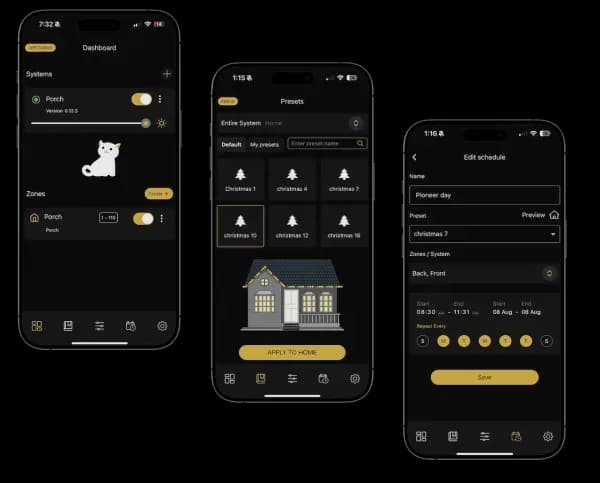
You will touch the app hundreds of times a year and the hardware never. That is genuinely why we picked the system we did — a mediocre app ruins an otherwise good lighting install. Colors, scenes, schedules, zones, and voice control all live in one place, and it works from anywhere you have signal.
What it does
Six things you'll actually use
Every bulb, individually
Each fixture is separately addressable — 16 million colors plus tunable warm-to-cool white. That means alternating colors, gradients across a peak, or one solid warm white down the whole run.
Preset patterns
A library of built-in scenes and animations covering the holidays, seasons, and events. You can run one as-is or use it as a starting point and edit from there.
Schedules and timers
Set it to come on at sunset and off at midnight and then never think about it again. Schedules follow the actual sunset time, so they shift correctly through the year.
Zones
Front, garage side, and back can each run independently. Warm white on the street side and something louder over the patio, at the same time.
Voice and text control
Works with Alexa, Google Assistant, Siri, and Control4. You can also just type what you want — "set the front to warm white" — instead of hunting through menus.
All of it, included
Music sync, AI scene generation, and custom animations come with the system. Tell the app "make the house look like the Fourth of July" and it builds the scene. There is no paid tier — every feature is yours, including the ones Bosso adds later.
Honest usage note: most people run warm white almost every night and save the color for holidays, game days, and birthdays. The feature list is long, but the thing that earns its keep is a house that looks good on an ordinary Tuesday in February.
Setup
We don't hand you a QR code and leave
Before the crew pulls away, we install the app on your phone, connect it to your system, name your zones, and build your first few scenes with you standing there. You will change a color, set a schedule, and turn the system off and on yourself while we are still in the driveway.
If you forget something a week later, call us. That is a normal thing to need and we would rather answer it than have you not use what you paid for.
Works with
Alexa · Google Assistant · Siri · Control4
Platforms
iOS and Android, free with your system
Subscription
None — every app feature included
Remote access
Control from anywhere with a signal
Questions
About the app
What app controls the lights?
We install Bosso Smart Lighting, so you use the Bosso Smart Lights app — free with every system, on iOS and Android. We set it up on your phone and build your first scenes with you before we leave, so you are not figuring it out from a manual after the truck pulls away.
Do I need Wi-Fi for the lights to work?
The controller connects to your home Wi-Fi so you can control the system from anywhere and run scheduled scenes. If your internet goes down, the lights keep running whatever schedule was last set — you just cannot change them remotely until it is back.
Can more than one person control the lights?
Yes. You can add other people in the household to the system so anyone can change scenes from their own phone.
Is there a monthly fee for the app?
No. Every feature in the app is included with your system at no ongoing cost — colors, scenes, schedules, zones, remote control, music sync, AI scene generation, and custom animations, plus whatever gets added later. There is no paid tier, nothing is held back, and there is no bill after the install.
Want to look before you buy? The Bosso Smart Lights app is public on the App Store and Google Play — download it and poke around the demo before we ever visit your house.
Free design consultation
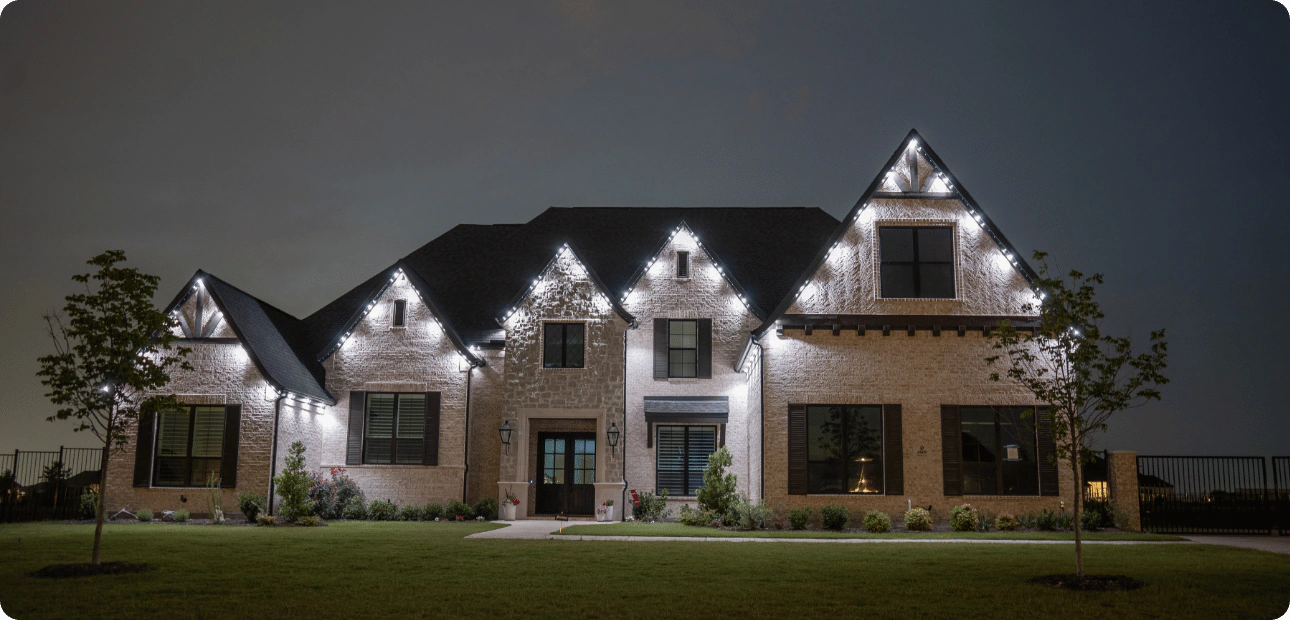
Let's see what your house looks like lit
We'll measure your roofline, show you the options, and give you a real number. No pressure, no all-night pitch.